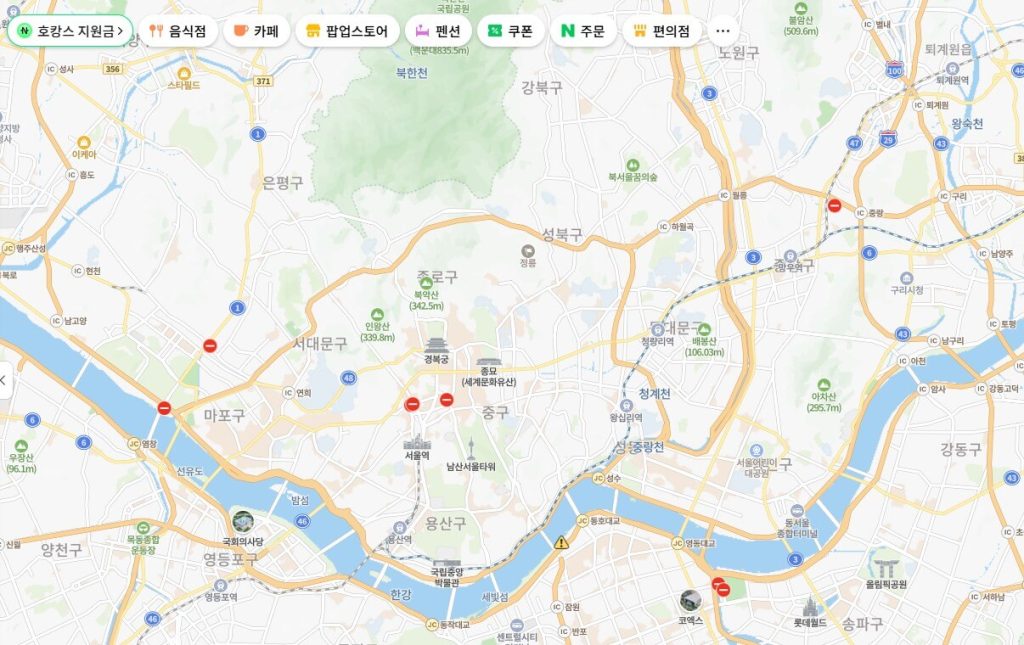
A Guide to Using Naver Map for Foreigners (Do You Need an Account?)
If you’re planning a trip to Korea, one of the first apps you should install is Naver Map. Many foreign travelers naturally try to use Google Maps because they are familiar with it, but some features are limited in Korea.
Especially for real-time directions, walking routes, public transportation information, bus arrival times, and subway exit details, Naver Map is much more accurate.
It provides detailed information not only for Seoul, Busan, and Jeju, but also for smaller areas, making it extremely useful when navigating Korea or planning your transportation.
Do You Need to Sign Up for Naver Map?
This is one of the most common questions foreign travelers ask.
The short answer is no — you can use most features without creating an account.
What You Can Do Without an Account
- Search for places
- Get directions
- Check real-time bus information
- Search subway routes
- View walking directions
- Check traffic conditions
- Find nearby restaurants
- Search tourist attractions
In other words, regular travelers can use it perfectly fine without an account.
What You Can Do With an Account
- Save favorite places
- Save your hotel location
- Save travel plans
- Store recent search history
- Write reviews
- Sync across multiple devices
- Manage frequently visited places
For example, saving your hotel location makes it much easier to return if you get lost.
For first-time visitors to Korea, saving your hotel location is highly recommended.
How to Install Naver Map
iPhone
Search for “Naver Map” in the App Store
Android
Search for “Naver Map” on Google Play
Once installed, you can start using it right away, even without signing up.
How to Search for Destinations
Naver Map has a very powerful search function.
- Incheon Airport (인천공항)
- Myeongdong (명동)
- Hongdae (홍대)
- Seoul Station (서울역)
- Gyeongbokgung (경복궁)
- N Seoul Tower (남산타워)
Instead of “Gyeongbokgung” → try “경복궁”
Instead of “Myeongdong” → try “명동”
Small restaurants and local cafes may not always appear correctly in English searches.
How to Use the Directions Feature
This is the most frequently used feature in Naver Map.
Simply enter your starting point and destination, and it will show you multiple transportation options.
Transportation Options
- Subway
- Bus
- Taxi
- Walking
- Car
Information You Can Check
- Total travel time
- Number of transfers
- Transfer station locations
- Bus numbers
- Real-time arrival information
- Subway exit numbers
- Estimated taxi fare
Naver Map is very convenient because it tells you the exact exit number.
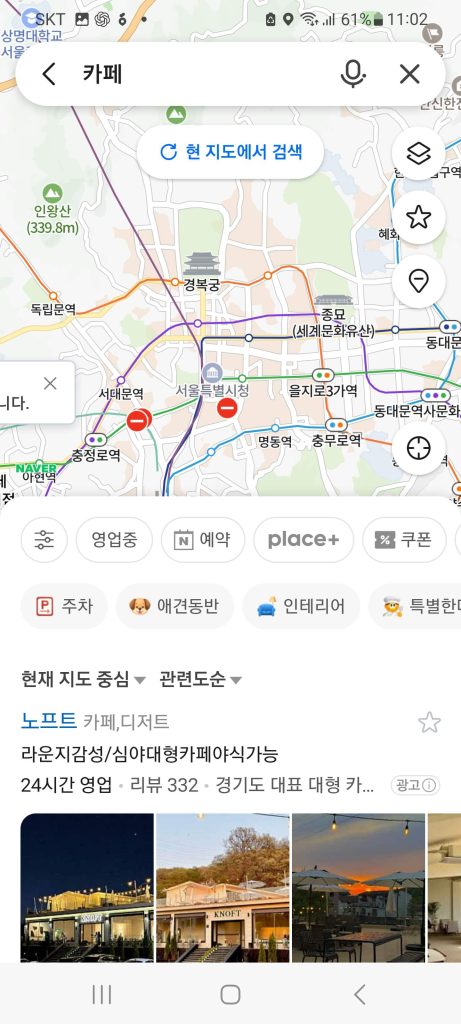
Finding Nearby Restaurants and Cafes
Naver Map is more than just a map app.
- Restaurants
- Cafes
- Convenience stores
- Pharmacies
- Currency exchange offices
- Shopping malls
- Tourist attractions
Since it has many reviews from local Koreans, it’s one of the best ways to find genuinely popular places.
Search Examples
- Best restaurants in Myeongdong
- Hongdae cafes
- Gangnam samgyeopsal
- Busan seafood restaurants
It’s especially useful when you need to quickly find a place to eat while traveling.
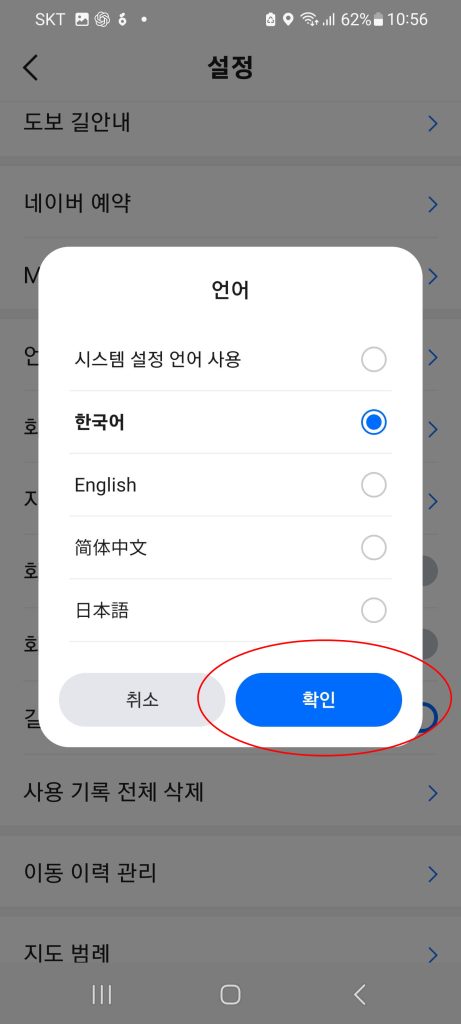
Does Naver Map Support English?
Yes, it does.
- English
- Japanese
- Chinese
- Korean
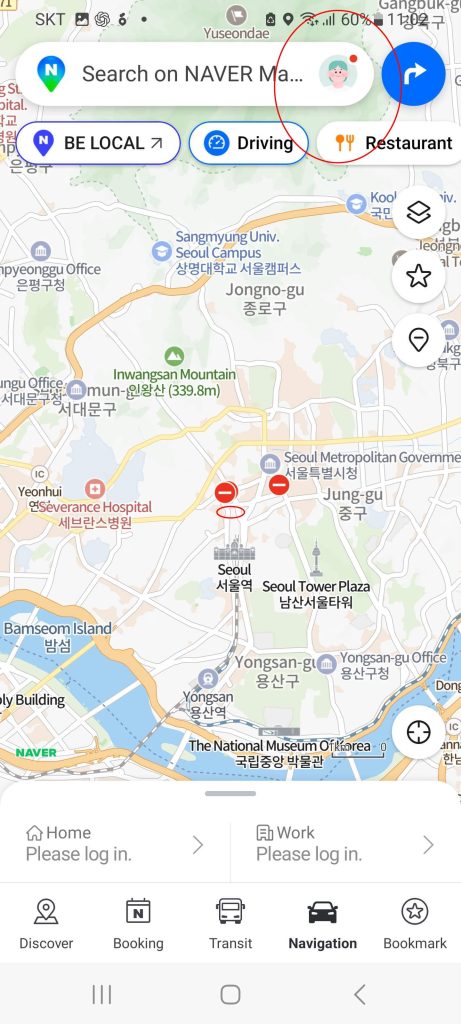
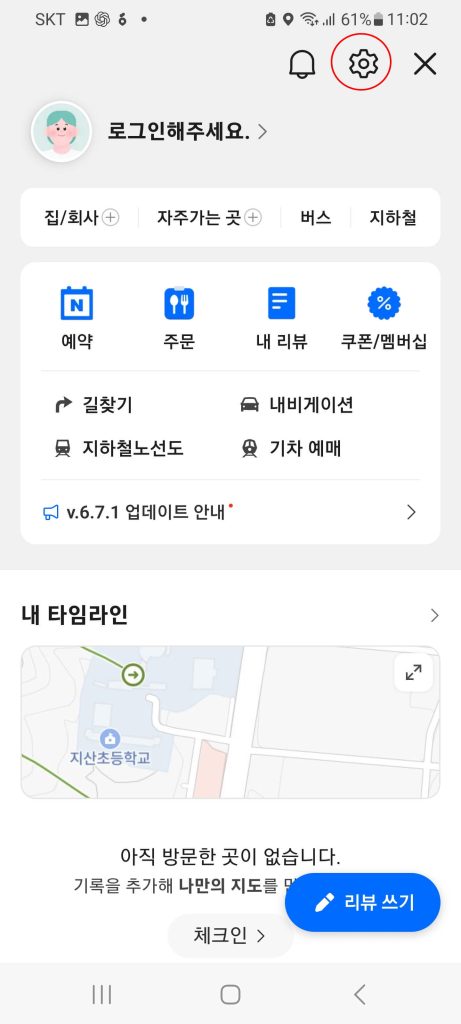
Settings → Language
Follow the steps below to easily switch to your preferred language.
Please refer to the attached images for detailed instructions.
Even after changing the language settings, some business names, reviews, and menu information may remain in Korean.
What If Translation Doesn’t Work?
In that case, the best option is to use Papago together with Naver Map.
- Copy the Korean address
- Paste it into Papago
- Check the translation
- Search again in Naver Map
This method makes it much easier to find local restaurants and hidden spots.
It’s also very useful for translating menus and reviews.
Useful Naver Map Tips for Foreign Travelers
- Save your hotel location in advance
- Save the airport location
- Create a list of favorite tourist spots
- Check subway routes first
- Always check exit numbers
- Use Korean keywords when needed
- Use it together with Papago
- Prepare Wi-Fi or eSIM in advance
With these tips, the chances of getting lost will be much lower.
It’s not just for navigation — it’s a powerful tool for checking transportation, restaurants, tourist attractions, and reviews all in one place.
Whether you’re visiting Seoul, Busan, Jeju, or Incheon, knowing how to use Naver Map can make your trip much easier.
If you’re planning a trip to Korea, it’s highly recommended to install it before your flight.